JiStitcher - drone sphere panoramas from raw frames
A panorama stitcher for Mac and iPad.
JiStitcher joins the raw DNG frames of a DJI drone sphere panorama into one 360-degree panorama. The result can be exported as a 16-bit DNG for further editing in Lightroom or another raw editor, or as a finished AVIF, HEIC, JPEG or TIFF image. Release planned for November 2026 at the latest.
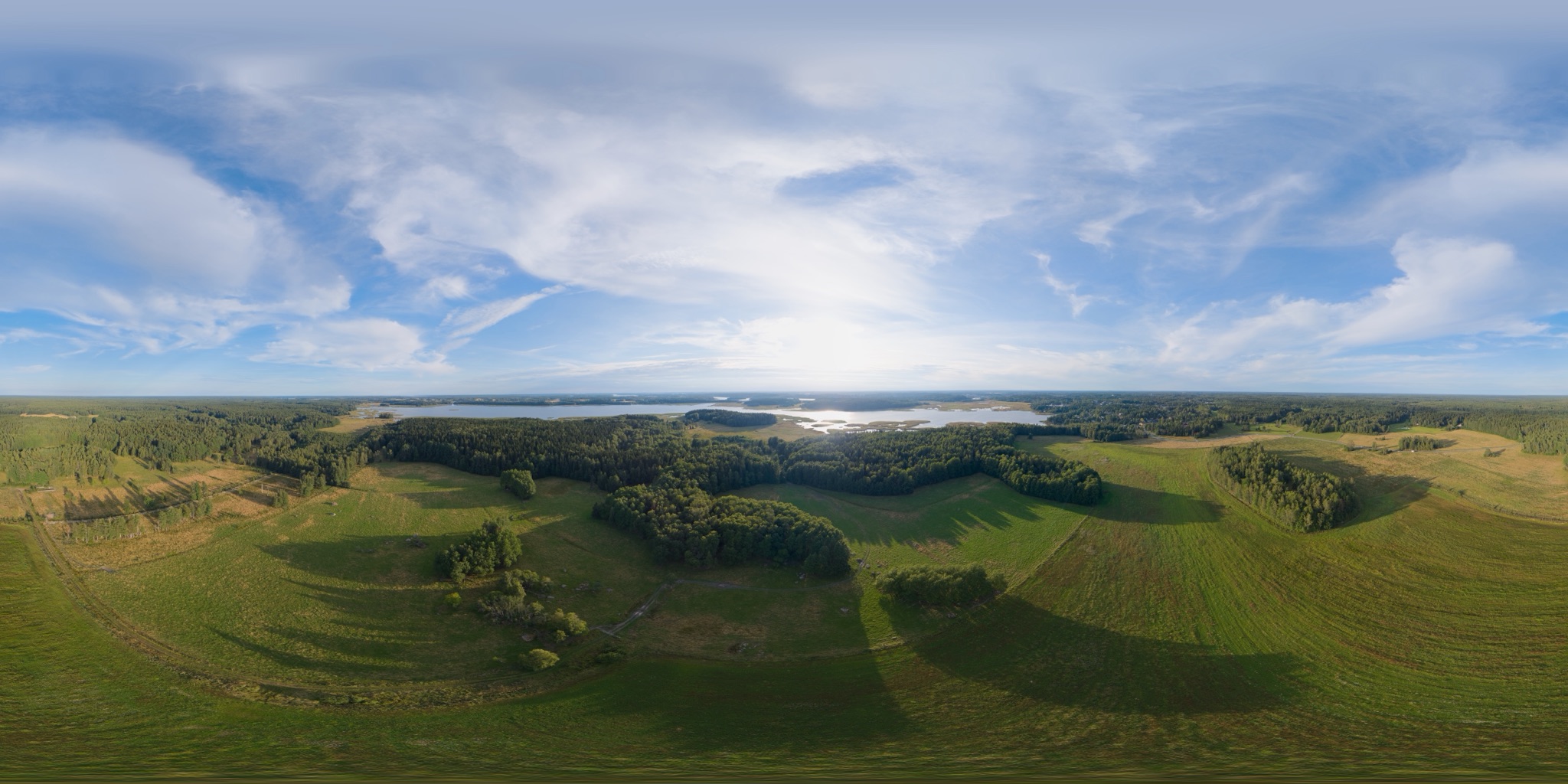
A summer evening, stitched with JiStitcher from the raw frames of a DJI drone sphere panorama. The full panorama is 17,408 × 8,704 pixels (about 152 megapixels). This web copy is reduced to 4,096 × 2,048 pixels (2,048 × 1,024 on small screens) and converted to 8-bit sRGB, so that every browser shows it the same way. Exported at full resolution in Display P3, or as an HDR AVIF or HEIC, the same panorama has far more detail and brighter highlights than shown here. Drag it, swipe sideways with two fingers on a trackpad, pinch it, or use the + and − buttons.
Why I made it
The idea came from wanting to get everything out of the sphere panoramas my drone takes - especially after I noticed that the panorama the drone stitches itself falls far short, in resolution, of what its individual frames make possible.
I tried a number of commercial panorama programs through their trial versions. The problem was either a high price, or that something did not work the way I needed. JiStitcher is the result: an app for one job, drone sphere panoramas from raw frames.
A DNG that is still raw
JiStitcher has its own tone controls, but the DNG export is built to keep as much of the original raw data as possible, so the panorama can be developed to the end after stitching, in whichever editor you prefer.
- 16-bit Linear DNG. The colour calibration of the drone’s camera is carried over from the source frames, so white balance and exposure stay adjustable in the raw editor.
- Tone is not baked in. The adjustments you make in JiStitcher are saved inside the DNG as editing settings, not applied to the pixels. Lightroom and Photoshop’s Camera Raw open them as ordinary settings you can keep adjusting or reset; editors that do not read these settings show the panorama without them. The raw image data is the same whether or not you touched the tone. Sharpening and colour noise reduction are left to the raw editor.
- Opening brightness. “Protect Highlights” opens the DNG so that the sky is not clipped; “As Metered” opens it at the camera’s metered exposure. The image data is identical either way.
- HDR. With HDR on, the DNG also carries Lightroom’s HDR editing settings.
Why this has had so much attention: the raw frames of a DJI drone hold enough range for very good HDR results, and in several of the programs I tried, that range was hard to keep all the way through to the stitched file.
From a folder of raw frames to one panorama
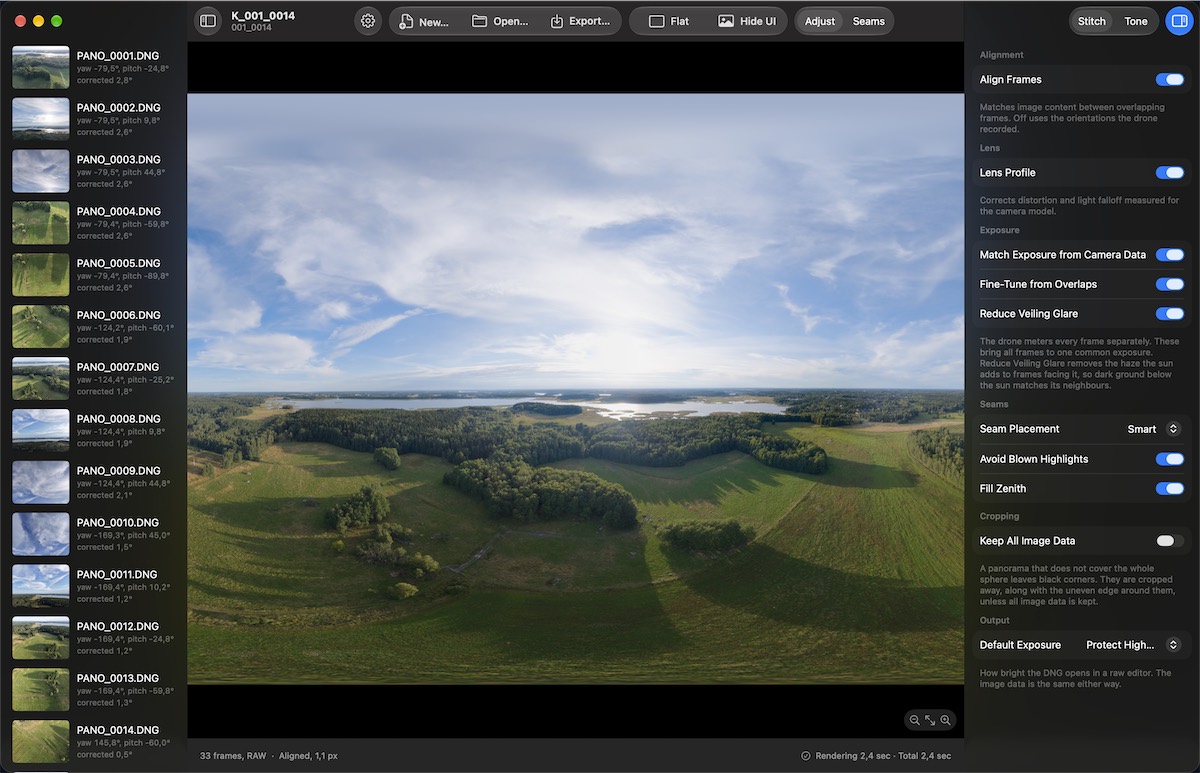
Open the folder the drone wrote, and a preview is built from all of its frames. The Stitch panel has these options:
- Align Frames. Matches image content between overlapping frames. Off, the orientations the drone recorded are used as they are.
- Lens Profile. Corrects distortion and light falloff measured for the camera model.
- Match Exposure from Camera Data and Fine-Tune from Overlaps. The drone meters every frame separately; these bring all frames to one common exposure.
- Reduce Veiling Glare. Removes the haze the sun adds to frames facing it, so dark ground below the sun matches its neighbours.
- Seam Placement. Smart lets the seams follow image content; Simple takes each pixel from the frame whose centre is nearest. Avoid Blown Highlights prefers a frame that still has detail where another is clipped.
- Fill Zenith. Fills the small hole straight above the drone, which it cannot photograph.
- Keep All Image Data. A panorama that does not cover the whole sphere is cropped to remove its black corners, unless this is on.
- Size. A DJI Mini 5 Pro sphere set gives 17,408 × 8,704 pixels, about 152 megapixels.
Tone controls
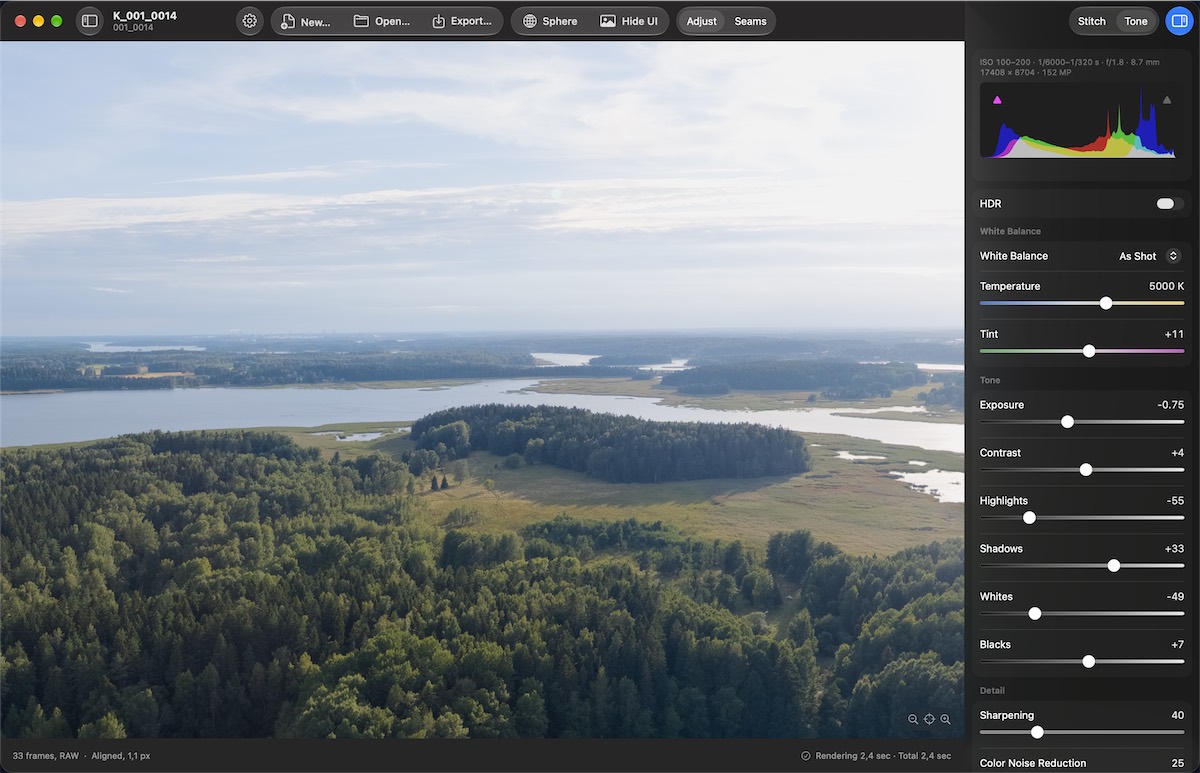
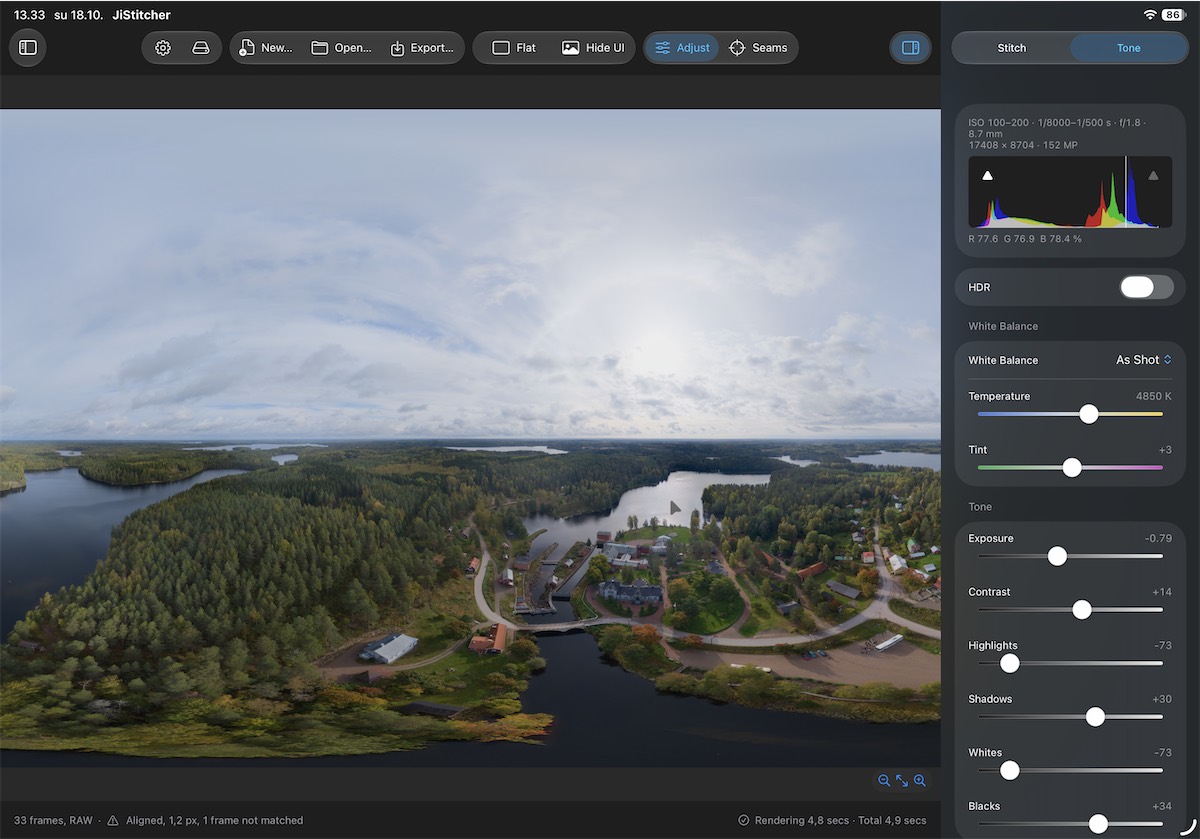
- White balance as shot, or a custom temperature and tint.
- Exposure, Contrast, Highlights, Shadows, Whites and Blacks, with a histogram.
- Sharpening and Colour Noise Reduction.
- HDR with an adjustable HDR limit, shown on displays that support it.
- Show Original to compare with the untoned picture.
- In image exports the tone is applied to the pixels; in the DNG it is written as settings, as described above.
Export formats
- DNG: 16-bit Linear DNG.
- Image: AVIF, HEIC or JPEG (8-bit), or TIFF (16-bit; uncompressed, LZW or ZIP).
- Colour profile: Display P3, sRGB or Adobe RGB (1998).
- HDR images: AVIF and HEIC in Display P3, as a standard picture with a gain map.
- Size: full size, a long side of 16,384, 8,192, 6,000 or 4,096 pixels, or a custom size.
- Photo sphere metadata in every export, so viewers that support 360-degree images can recognise it. GPS location is optional and off by default.
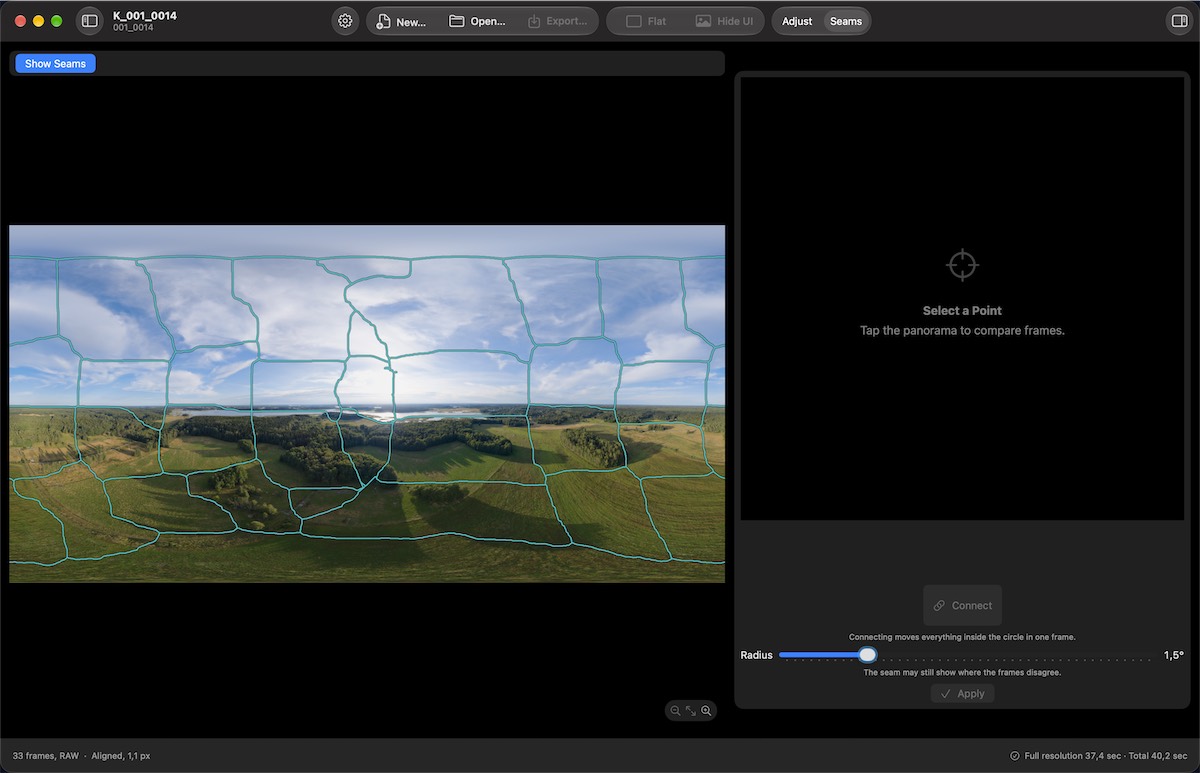
Adjust Seams
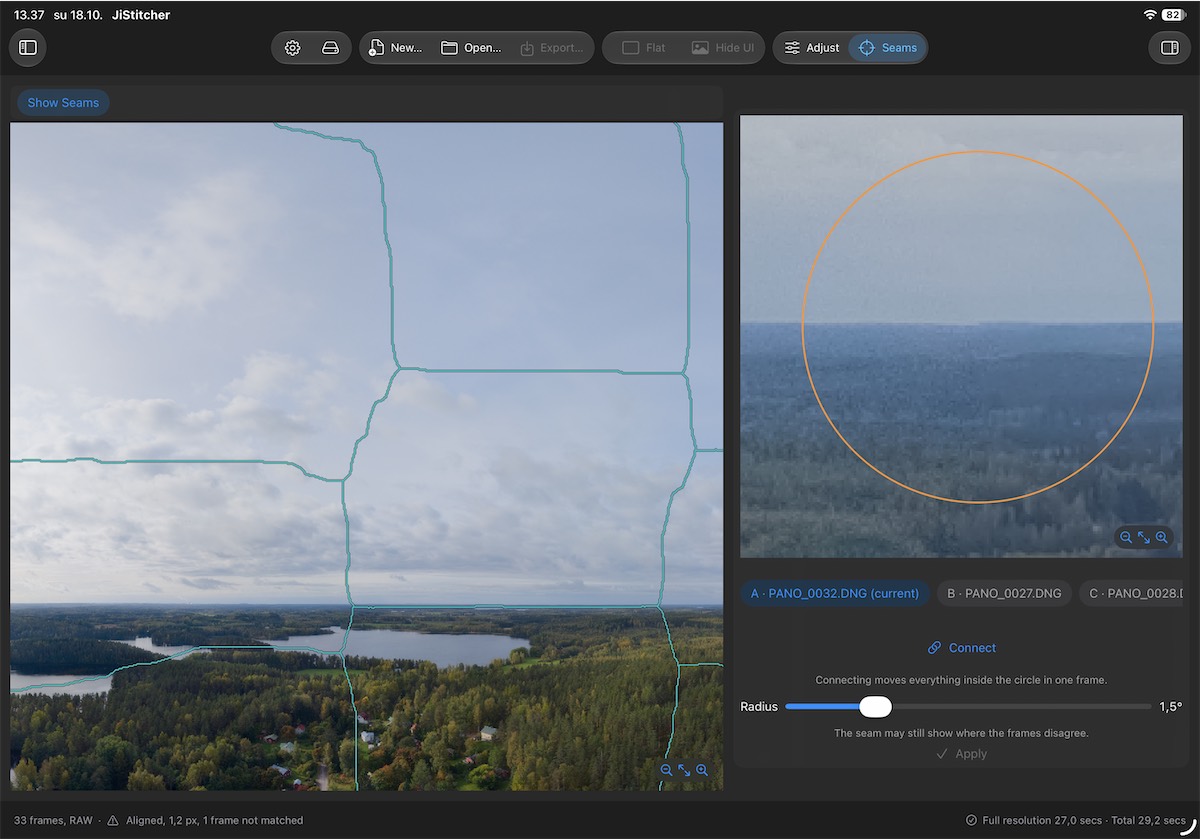
For places where the automatic result is not right, such as a moving car or a line broken where two frames meet:
- Show Seams draws where the panorama switches from one frame to another.
- Compare frames. Tap or click a point to see the frames that cover it, at the exact pixels of the export, and choose which one is used there.
- Connect. Moves everything inside the circle in one frame to meet the other, for a thin line broken at a seam. The radius is adjustable.
- Edits are kept separately. Each one can be turned off, deleted, undone and redone, and they are saved in the project. The raw frames are never modified.
Viewer and gallery
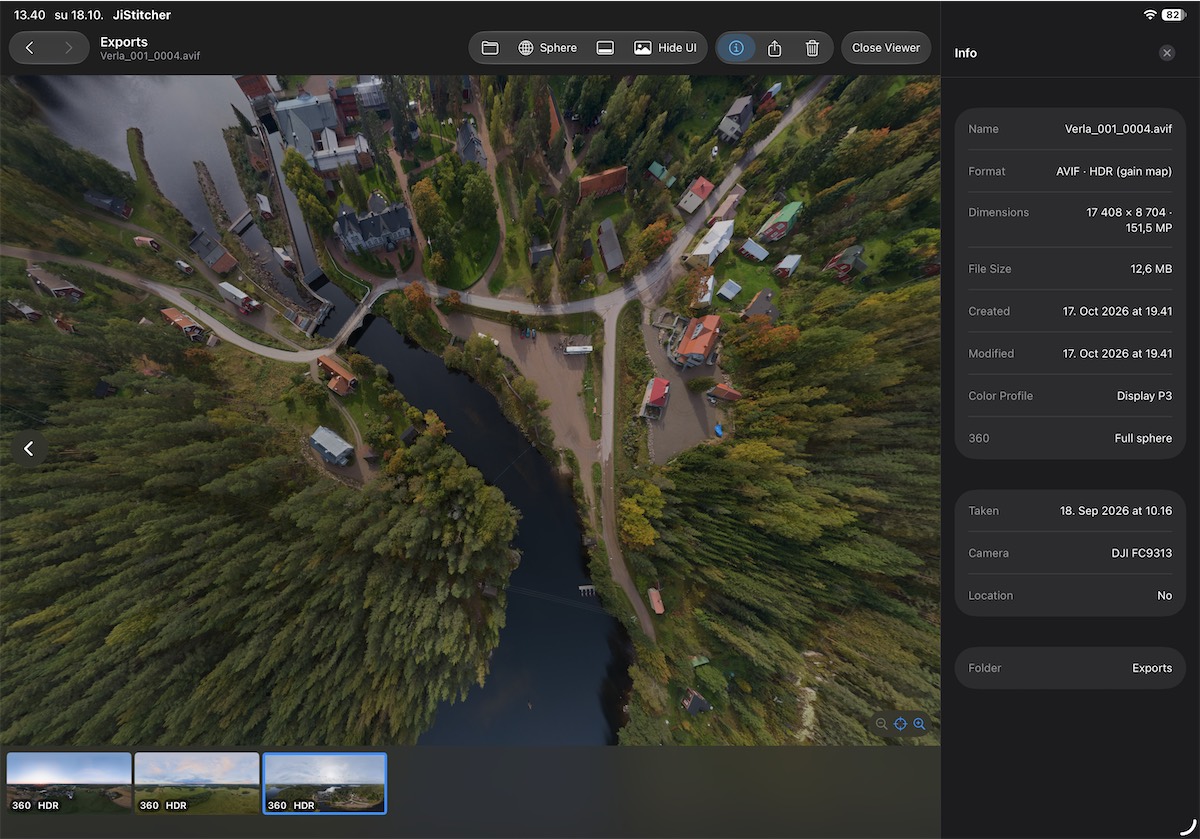
JiStitcher includes a viewer for the finished panoramas. By default it shows the Exports folder, with a strip of thumbnails marked 360, HDR or DNG.
- Sphere or flat. 360-degree images can be looked around as a sphere or shown flat; other images are shown flat.
- Info panel with format, dimensions, colour profile, camera and date.
- Share or move to the Trash from the viewer.
- Opens JPEG, HEIC, TIFF, PNG, AVIF and DNG.
Projects, platforms and input
- Projects. Each panorama is a project that keeps the image folder, stitch options, seam edits and tone. It is saved automatically.
- Mac and iPad. The same app on both; native on the Mac.
- Touch, trackpad and mouse are all supported, and both platforms have menu commands with keyboard shortcuts.
Processing stays on the device
- No uploads. Frames are read and stitched on your own Mac or iPad.
- No account, tracking or analytics. The app does not connect to any server.
Already planned
Version 1.0 is the first step. Already planned for after it:
- Full-resolution crops saved from a 360-degree panorama.
- Tuning the automatic seam joining for extreme cases.
- More ways to develop the image, such as more sliders. The aim is that many users would no longer need a separate photo editor after stitching.
- A wider range of supported file formats.
- A more polished user interface.
- Later, sources other than drone images.
Ideas are welcome - see below.
Where it stands
- In development. Release planned for November 2026 at the latest.
- Tested only with the DJI Mini 5 Pro, the only drone I have. Other DJI models that take a sphere panorama in raw should work the same way, but I have not been able to test them myself yet.
- Planned price: around 40-50 €, one-time purchase (roughly $45-56 at the exchange rate of 16 October 2026). No subscription. Not final.
- Requirements: macOS 26 or iPadOS 26. No iPhone version. The app is in English.
Ideas, feedback and TestFlight testing
Ideas are welcome, and feedback from people who fly other drones especially so, since I only have a DJI Mini 5 Pro. If you would be interested in testing JiStitcher through TestFlight, send a message through the Support page and tell me which drone you fly and what kind of test images you have - for example full sphere panoramas or partial ones, and in which raw format.
Frequently asked questions
Will it work with my drone?
So far it has only been tested with the DJI Mini 5 Pro. Other DJI models that take a sphere panorama in raw should work the same way, but I have not been able to test them myself yet. If you would like to help confirm it with your drone, see Ideas, feedback and TestFlight testing.
Does it need the drone’s own panorama or its JPEGs?
No. It uses the raw DNG frames the drone saves while shooting the sphere, and reads each frame’s direction from the files themselves.
Can I edit the stitched panorama in Lightroom?
Yes. The DNG export is a 16-bit Linear DNG, which Lightroom and other raw editors open as a raw file, so white balance and exposure stay adjustable. Tone adjustments made in JiStitcher are saved inside the DNG as editing settings, not applied to the pixels; Lightroom and Photoshop’s Camera Raw open them as ordinary settings.
Handheld panoramas or other cameras?
Not in version 1.0, which is made for drone sphere panoramas shot as raw. Sources other than drone images are a later plan.
Is there a subscription?
No. The plan is a one-time purchase of around 40-50 €.